

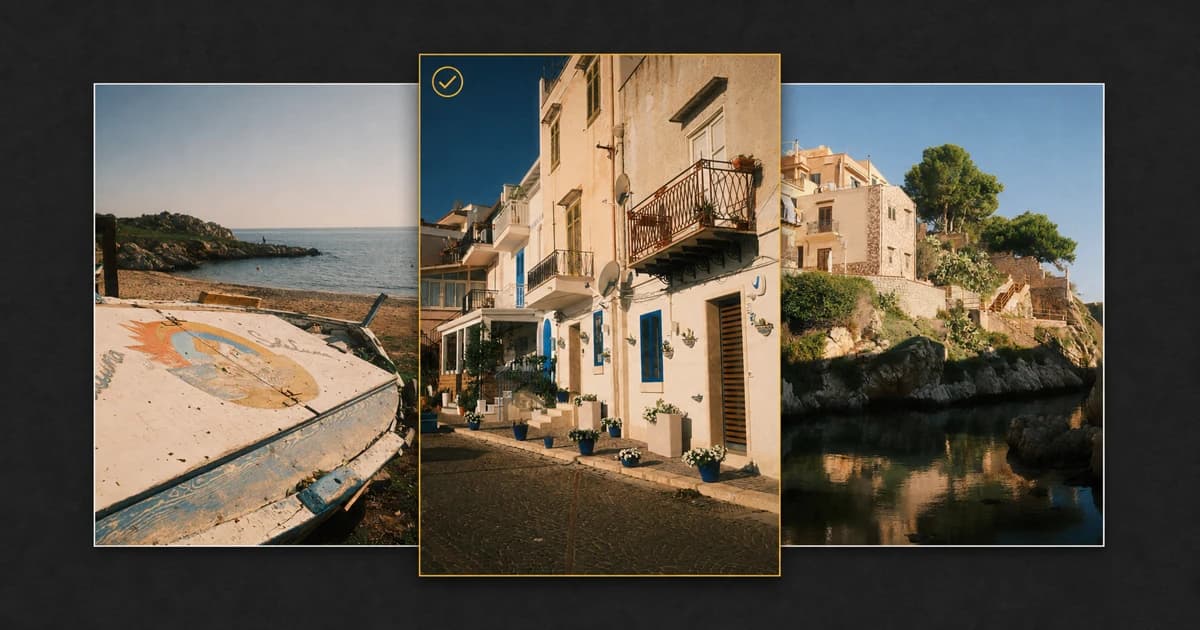
Travel photography creates a particular kind of editing problem. A single day can produce architecture, landscapes, meals, street scenes, details, portraits, signs, and several near-identical versions of the same moment. By the time you return home, hundreds of Fujifilm JPEG and RAF files may all feel connected to the experience.
That emotional connection makes the first selection difficult. The solution is not to decide whether every photograph is individually good. It is to ask which photographs work together. This guide presents a repeatable Fujifilm travel photo culling workflow for reducing a large shoot to a focused final gallery without losing the character of the trip.
Quick Answer: Cull in Passes, Not in One Sitting
The fastest reliable way to cull Fujifilm travel photos is to separate technical decisions from editorial decisions. Start by marking obvious misses. Next, group similar frames and compare the strongest candidates. Then build a balanced story with wide scenes, medium views, details, people, and transitions. Apply ratings only after the repetitive photographs are under control.
In Receptree Review, you can connect a local Fujifilm JPEG or RAF gallery, make picks and rejects, apply ratings, group related frames, compare candidates, and continue selected photographs into the wider Receptree workflow.
Why Travel Shoots Are Harder to Cull
A commercial shoot usually starts with a defined deliverable. Travel photography is less controlled. You react to weather, light, unfamiliar streets, people, and small discoveries. Several photographs may be technically strong but perform the same job in the final sequence.
The most common problems are:
- many slight variations of the same composition;
- bursts or quick sequences captured around one moment;
- JPEG and RAF pairs that look like duplicate files;
- too many photographs from one visually exciting location;
- important quiet details being overlooked beside dramatic views; and
- keeping a photograph because of the memory rather than its role in the edit.
A good culling workflow handles those problems in a deliberate order. It protects your attention from hundreds of repeated decisions and leaves the more subjective storytelling choices until the end.
Before You Start: Protect the Originals
Copy the complete shoot from the memory card to a clearly named folder before making permanent file decisions. If the trip matters, keep a second copy on another drive. Culling should begin with reversible labels such as picks, rejects, and ratings, not immediate deletion.
Receptree Review works with the folder you connect in a current desktop version of Chrome or Edge. The original photographs remain on your device. This local-first approach lets you review a travel gallery without first uploading the entire shoot.
A Seven-Pass Fujifilm Travel Photo Culling Workflow
Pass 1: Define the final story
Decide what the gallery is for before judging individual frames. A personal travel diary, a 10-image Instagram carousel, a printed zine, and a client story need different selections. Write one sentence that describes the finished set, such as: “A quiet coastal town from morning streets to evening water.”
That sentence becomes an editorial filter. A photograph can be beautiful and still fall outside the story you are trying to tell.
Pass 2: Remove the obvious misses
Move quickly through the complete shoot and mark only photographs that are clearly unusable: accidental frames, severe focus errors, blocked compositions, unintended exposures, or expressions you know you will not use. Do not compare subtle variations yet.
This pass should be fast because the decisions are technical. When you are uncertain, leave the photograph open for the next pass rather than slowing down.
Pass 3: Group similar frames and sequences
Travel shoots contain natural groups: several photographs of one building, a burst of a person crossing a street, repeated views from a lookout, or a short sequence as the light changes. Review those photographs together instead of encountering them separately throughout the folder.
Grouping makes repetition visible. Five individually good photographs may collapse into one clear choice when they are viewed as versions of the same idea.
Pass 4: Compare the strongest candidates
Use Compare when two or more frames are close. Check the subject, gesture, edge tension, focus, background separation, and small distractions. At this stage, avoid choosing only by sharpness. A slightly less perfect frame can carry the stronger moment.
Ask four questions:
- Which composition reads most clearly at first glance?
- Which frame contains the strongest gesture, light, or relationship?
- Which photograph adds something the rest of the gallery does not?
- Would I still choose it if I had no memory of taking it?
Pass 5: Build variety across the trip
Once the strongest individual frames are visible, look at the selection as a set. Travel galleries need rhythm. If every photograph is a wide landscape, the viewer never gets close to the experience. If every photograph is a detail, the place never becomes clear.
A balanced edit often includes:
- an establishing view that introduces the place;
- medium scenes that show how the environment is used;
- details, textures, signs, food, or objects;
- people or evidence of human presence;
- transitions between locations, times, or moods; and
- a final photograph that gives the sequence a natural ending.
Pass 6: Apply a simple rating system
Ratings are most useful when every level has one meaning. Avoid inventing a complex system that you will forget halfway through the gallery.
| Decision | Meaning | Next step |
|---|---|---|
| Reject | Clearly unusable or unnecessary | Review once before permanent deletion |
| Pick | Strong enough to remain in consideration | Compare and rate in the final pass |
| 3 stars | Useful supporting photograph | Keep when it improves sequence or coverage |
| 4 stars | Final-gallery photograph | Prepare for edit or presentation |
| 5 stars | Defining image from the trip | Use as opener, closer, cover, or portfolio candidate |
Pass 7: Leave the edit and return once
If time allows, step away before the final reduction. Even a short break makes repetition easier to see. Return to the selected set and remove photographs that repeat information, weaken the rhythm, or survive only because they were difficult to capture.
The target does not need to be exactly 30 photographs. “Best 30” is a useful editing constraint, not a rule. The real goal is the smallest complete gallery.
How to Handle Fujifilm JPEG and RAF Pairs
Many Fujifilm photographers record JPEG+RAW because the JPEG preserves the intended in-camera look while the RAF keeps more editing flexibility. During culling, those files should usually represent one capture decision rather than two unrelated photographs.
- Keep both when the straight-out-of-camera JPEG works but the RAF may be useful for a print, recovery, or alternative edit.
- Keep the JPEG when the in-camera result is finished and you do not need the RAF.
- Keep the RAF when the composition matters but the JPEG exposure or color needs substantial work.
- Avoid rejecting one half of a pair merely because it appears duplicated in the file list.
Recipe Recognition can add another layer to this decision. With supported original JPEG metadata, it can help reconnect a selected photograph with the Fujifilm settings behind its look. See the full guide to Fujifilm Recipe Recognition.
Five Travel Culling Mistakes to Avoid
- Rating everything immediately. Remove obvious misses and repetition before spending time on fine distinctions.
- Keeping every variation. Similar frames weaken one another when they perform the same role.
- Selecting only landmark photographs. Small details and transitions often make the final story feel personal.
- Deleting during the emotional first pass. Use reversible decisions until the complete gallery has been reviewed.
- Confusing the memory with the photograph. Keep personal memory images in a separate selection if they do not belong in the public edit.
A Practical 500-to-30 Selection Example
A 500-frame weekend trip might become 380 photographs after technical rejects, 140 picks after grouping and comparison, 60 rated candidates after removing repetition, and roughly 30 photographs in the final story. Those numbers will vary, but the sequence matters: broad technical reduction first, fine editorial reduction last.
Trying to jump directly from 500 files to 30 forces every type of decision into the same moment. Passes make the workload lighter and the final gallery more consistent.
Final Fujifilm Travel Culling Checklist
- Copy and back up the complete shoot.
- Define the purpose and approximate size of the final gallery.
- Mark technical rejects without overthinking.
- Group similar scenes, bursts, and repeated compositions.
- Compare the strongest candidates at a useful viewing size.
- Treat JPEG and RAF pairs as one photographic decision.
- Balance wide views, medium scenes, details, people, and transitions.
- Apply a rating system with clear meanings.
- Step away, return, and remove the final repetitions.
- Only then decide what to export, edit, present, or permanently delete.
Frequently Asked Questions
What is the fastest way to cull Fujifilm travel photos?
Use several focused passes instead of trying to make every decision at once. Remove obvious misses first, group similar frames, compare the strongest candidates, then apply picks and ratings to the photographs that support the final travel story.
Can I cull Fujifilm JPEG and RAF files together?
Yes. Receptree Review is designed for Fujifilm JPEG and RAF shoots, including paired JPEG and RAF files where available. Treat the pair as one photographic decision, then keep the file type or pair that fits your editing workflow.
Should I delete rejected travel photos immediately?
Usually not during the first pass. Mark rejects first, finish the complete review, and only make permanent file decisions after you have checked the final selection and confirmed that your originals are safely backed up.
Do my travel photos get uploaded to Receptree Review?
No. The connected Review gallery stays local in your browser. Receptree stores review decisions and resumable session information, not the original gallery files.
How many photographs should a travel gallery contain?
There is no universal number. A focused personal story may work with 20 to 40 photographs, while a client assignment may need more. Choose the smallest set that covers the place, people, details, transitions, and strongest moments without repetition.
Can Receptree identify the Fujifilm recipe used for a travel photo?
Recipe Recognition can use supported metadata from an original Fujifilm JPEG to help reconnect a photograph with its look. Results depend on the camera, file, and whether the relevant metadata is still present.
Cull Your Next Fujifilm Trip Locally
Receptree Review is built for the point where a Fujifilm shoot becomes a selection. Connect a local JPEG or RAF gallery, group and compare related frames, make picks and rejects, apply ratings, and keep the original photographs on your device.
Turn a crowded travel folder into a focused photographic story.
Explore Receptree Review