

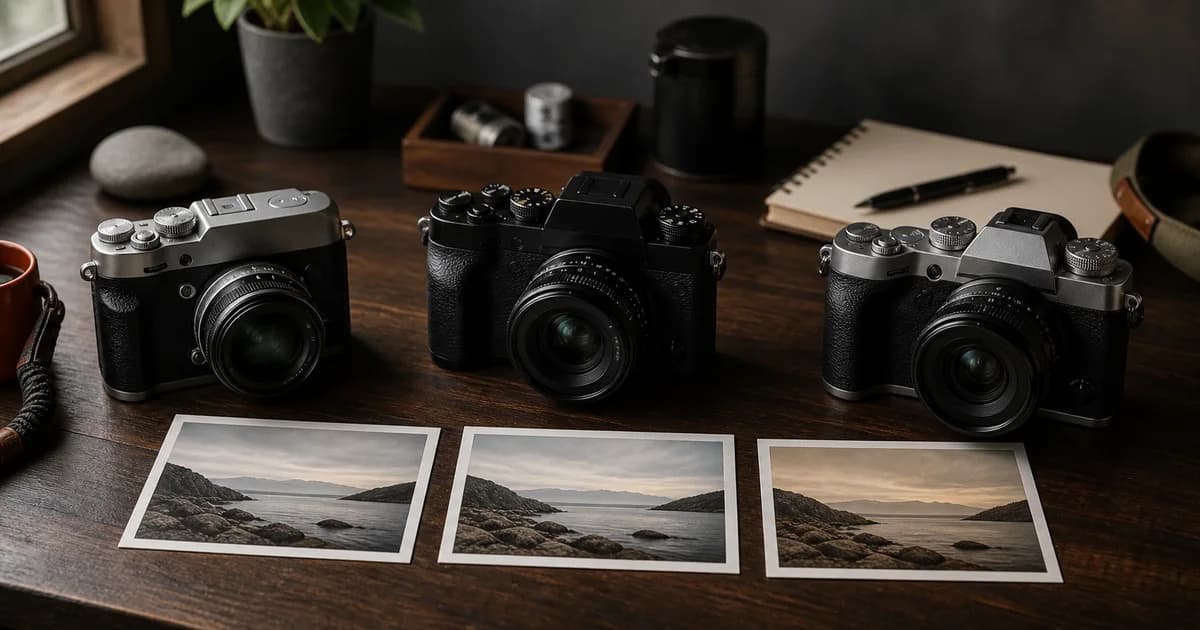
A Fujifilm recipe can often move from one camera to another, but “compatible” and “identical” are different claims. If both bodies offer the same Film Simulation and JPEG controls, you can usually copy the listed values and keep the creative direction of the look. The result can still change because the camera, lens, firmware, exposure, white balance, and light are part of the rendering chain.
The practical goal is therefore not to force every camera into a false exact match. It is to identify what transfers cleanly, document what is missing, and save an honest adaptation you can use again.
Quick answer: copy the recipe, then verify the camera
Start by checking the base Film Simulation. Then compare every listed setting with the target camera menu. Enter only controls that exist, keep exposure conditions stable, and make a short reference sequence. If one control is unavailable, do not hide the difference: label the result as an adaptation.
Use the Fujifilm recipe installation guide for the complete menu path, white-balance shift check and save process.
1. Check
Confirm the Film Simulation and every recipe control on the target body.
2. Copy
Transfer matching values without changing several substitutes at once.
3. Test
Photograph the same scene and keep the adapted version only if it works.
Which Fujifilm recipe settings usually transfer?
The core recipe is often recognizable across bodies when both cameras expose the same controls. Availability must still be checked model by model.
| Recipe area | Transfer expectation | What to verify |
|---|---|---|
| Film Simulation | Only when the target body includes it | Availability and firmware |
| Highlight, Shadow, Color | Common, but value ranges may differ | Menu scale and half steps |
| White Balance and R/B Shift | Usually transferable as a starting point | Base WB and how presets are saved |
| Dynamic Range | Common on supported bodies | ISO requirements and DR mode |
| Sharpness and Noise Reduction | Common, not visually identical | Scale and high-ISO behavior |
| Clarity | Model-dependent | Whether the control exists |
| Grain Effect and Grain Size | Separate capabilities | Older bodies may lack Grain Size |
| Color Chrome controls | Model-dependent | Effect and FX Blue availability |
Why the same values can produce a different JPEG
The camera menu is only part of the recipe
A recipe describes rendering decisions, not the complete capture. Two cameras can share the same values while the scene reaches them through different lenses, exposure choices, Auto White Balance decisions, or firmware behavior. Even a small exposure difference changes how highlight and shadow settings feel.
Generation is a clue, not a guarantee
Camera generation helps explain why a newer control may be missing on an older body, but it is not a complete compatibility table. Closely related cameras can still expose different options. Check the actual Image Quality menu and the manual for the body in your hand instead of inferring support from the sensor name alone.
White balance deserves its own check
Auto White Balance responds to the scene. A copied R/B shift therefore does not lock two cameras to the same neutral point. If repeatability matters, compare the cameras under controlled light with the same fixed white-balance basis. Our Fujifilm White Balance Shift guide explains that workflow in detail.
A clean adaptation workflow
- Save the source recipe. Keep its camera model, Film Simulation, complete settings, and sample context together.
- Make a compatibility pass. Mark each control as available, missing, or represented by a different scale on the target camera.
- Enter matching values first. Do not compensate for a missing control before you have seen the baseline result.
- Use one repeatable scene. Include neutral tones, saturated color, highlights, shadows, and fine detail so the recipe has something useful to reveal.
- Change one variable. If the result needs adapting, make a single deliberate adjustment and photograph the sequence again.
- Name the adaptation honestly. Keep the source in your notes and add the target camera model. That preserves provenance instead of presenting a derived version as an exact copy.
What to do when a setting is missing
Missing Clarity does not automatically mean “add Sharpness,” and missing Color Chrome FX Blue does not mean “increase Color.” Those controls solve different rendering problems. Start from the closest neutral state, judge the photograph, and compensate only when a specific visual problem is visible.
- Missing Film Simulation: choose a different recipe or build a new adaptation around a simulation the camera actually supports.
- Missing Clarity: leave it neutral; evaluate local contrast before touching Sharpness.
- Missing Grain Size: use the available Grain Effect strength and accept that texture scale will differ.
- Missing Color Chrome control: test without it before changing global Color or tone settings.
How Receptree helps without claiming an exact match
A complete Receptree recipe keeps the camera, Film Simulation, settings, sample images, and notes in one place. Use those details as a compatibility checklist, save the tested target-camera version separately, and connect both versions through clear naming and description. If you begin from an original camera JPEG, Recipe Recognition can recover supported metadata as a starting point, but unavailable or unrecorded values still need verification.
The result is more useful than a universal compatibility badge: it tells another photographer what was copied, what changed, and which camera produced the sample.
Frequently asked questions
Can I use an X100VI recipe on an X-T5 or X-T50?
Often you can copy the available JPEG settings as a starting point, but an exact visual match is not guaranteed. Check that the target camera offers the same Film Simulation and controls, then test the recipe in the same light before saving it as your own adapted version.
Why is a Fujifilm recipe setting missing on my camera?
Film Simulations and JPEG controls vary by model, processor generation, and sometimes firmware. Controls such as Clarity, Grain Size, or Color Chrome FX Blue are not available on every body even when most of the recipe can be entered.
Do cameras with the same sensor generation render recipes identically?
Shared generation is a useful compatibility clue, not a promise of identical output. Lens, exposure, white balance behavior, firmware, and the scene can still change the finished JPEG.
What should I do when one recipe setting is unavailable?
Leave the unsupported control at its closest neutral or available value, test the result, and label the saved recipe as an adaptation. Avoid compensating with several unrelated controls at once because that makes the change difficult to evaluate.